
Playwright Pulse Report



The ultimate Playwright reporter — an interactive dashboard with historical trend analytics, CI/CD-ready standalone HTML reports, and full sharding support for scalable test execution.
Core Features
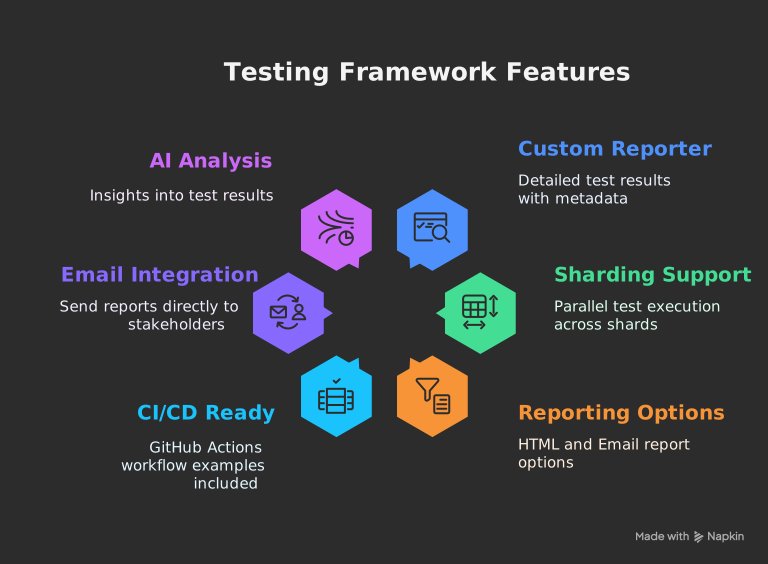
- Interactive Dashboard: A rich, single-page application to visualize test results. Filter by status, browser, or test name. Expand test cases to see detailed steps, errors, console logs, and attachments.
- Historical Trend Analysis: Automatically archives test runs to track performance over time. View trends for test volume, pass/fail rates, and execution duration.
- Standalone HTML Reports: Generate fully self-contained HTML reports with embedded attachments (screenshots, videos), perfect for sharing and CI/CD artifacts.
- Emailable Summaries: Automatically generate and send lightweight email reports with key statistics to stakeholders.
- Full Sharding Support: Natively handles Playwright's sharding capabilities and can merge reports from all shards into a single, comprehensive report.
- AI-Powered Analysis: Integrates an AI analysis tool to provide insights on test flakiness, performance bottlenecks, and failure patterns.
Installation
# Using npm
npm install @arghajit/playwright-pulse-report@latest --save-devInitial Configuration
Add the reporter to your playwright.config.ts file.
This is the minimum configuration needed to get started.
outputDir you configure here will be automatically detected by all CLI scripts!No need to pass
-o or --outputDir arguments anymore - just run npx generate-pulse-report and it works! 🎉
// playwright.config.ts
import { defineConfig } from "@playwright/test";
import * as path from "path";
export default defineConfig({
reporter: [
["list"], // Keep the default 'list' reporter or use any other you prefer
[
"@arghajit/playwright-pulse-report",
{
outputDir: path.resolve(__dirname, "pulse-report"), // ✨ Auto-detected!
},
],
],
// IMPORTANT: For the reporter to capture attachments, you must enable them here.
use: {
screenshot: 'only-on-failure',
video: 'retain-on-failure',
trace: 'retain-on-failure',
},
});Generating Your First Report
-
Run your tests: Execute your Playwright tests as
you normally would.
npx playwright testThis command will run your tests and the Playwright Pulse Reporter will automatically collect data in the background, creating a
pulse-reportdirectory. -
Generate the HTML report: After the test run is
complete, use the provided script to generate the interactive HTML
file.
npx generate-pulse-reportThis creates a self-contained static file named
playwright-pulse-static-report.htmlinside thepulse-reportdirectory. - View your report: Open the newly generated HTML file in your browser to explore the dashboard.